

In this guide
- Three kinds of “malware removal”
- The comparison
- Wordfence: the best free toolkit
- Sucuri: expert cleanup plus a firewall
- MalCare: automatic cleanup on the higher plans
- Jetpack Scan: good monitoring, limited cleanup
- Other plugins you’ll see recommended
- What to check before you pay
- Using a plugin to clean without making it worse
- When a plugin isn’t enough
- So which should you choose?
Three kinds of “malware removal”
When a plugin says it removes malware, it means one of three things:
- Do-it-yourself tools. The plugin shows you what’s wrong and gives you buttons to repair or delete files. You make the decisions. Example: Wordfence free and Premium.
- Automatic, one-click removal. The plugin’s service cleans known malware for you, usually by removing or replacing infected files. Examples: MalCare’s cleanup plans, Jetpack Scan.
- Expert cleanup. A person on the company’s security team investigates and cleans the site. It’s usually part of a yearly subscription. Examples: Sucuri Platform, Wordfence Care and Response.
Which one you need depends on how bad the infection is, and on how comfortable you are digging into files yourself.
The comparison
| Tool | Type of removal | Included in | Price (Nov 2026) | Main limitation |
|---|---|---|---|---|
| Wordfence free / Premium | DIY repair and delete | Free and Premium | Free / $149 per year | You do the work; free signatures are 30 days delayed |
| Wordfence Care / Response | Expert cleanup by Wordfence | Care and Response plans | $590 / $1,250 per year (rising to $890 / $1,900 on Dec 3, 2026) | Yearly subscription per site |
| Sucuri Platform | Expert cleanup, unlimited for the year | All platform plans | $229 / $339 / $549 per year, by plan | Response time depends on plan, from about 30 hours down to 6 |
| MalCare | One-click automatic removal | “Repair” and “Fortify” plans only | Repair $299 / Fortify $499 per year (list price, 1 site) | The $99 “Protect” plan only detects; many reviews describe the old plans |
| Jetpack Scan | One-click fixes for many issues | Jetpack Scan / Security | $4.95/mo first year, billed yearly | Doesn’t scan the database; not designed for sites already infected |
Pricing comes from each vendor’s public pricing page in November 2026. First-year and Black Friday discounts are common, so always check the current price before you buy.
Wordfence: the best free toolkit
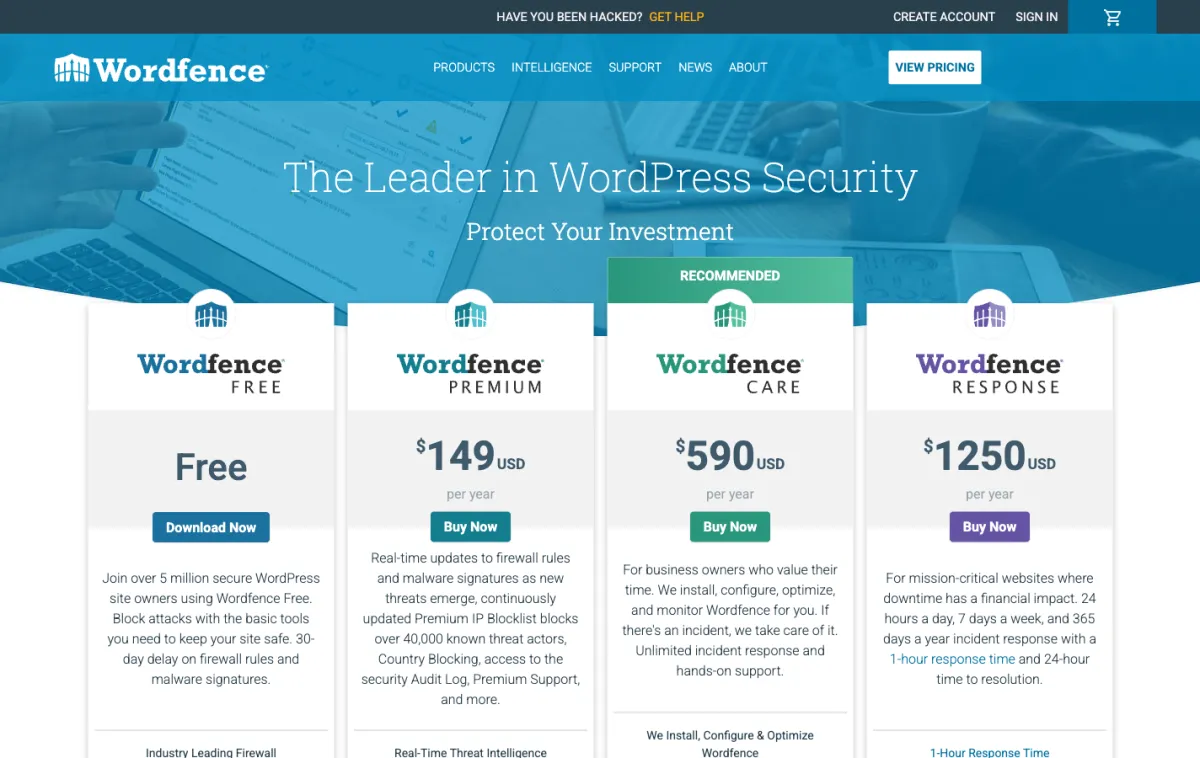
Wordfence doesn’t clean your site for you, but it gives you the best free tools to do it yourself. Repair restores modified WordPress core, plugin and theme files from the official copies. Delete removes files it flags as malicious. For a straightforward infection, a careful owner can clean a site with Wordfence in an afternoon.
Be careful with the “delete all” button. Wordfence itself warns that one-click removal can delete files you need. My guide on what to do when Wordfence finds malware walks through using it safely.
If you’d rather have Wordfence’s team do the cleanup, it’s included in their Care and Response plans, together with monitoring and security audits.
Sucuri: expert cleanup plus a firewall
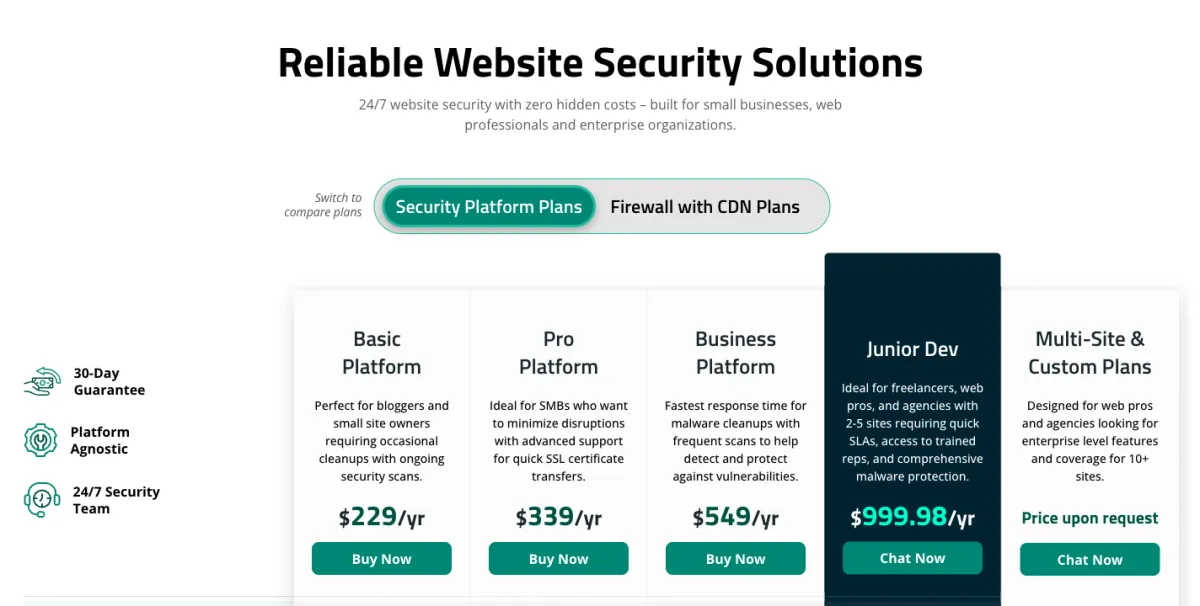
Sucuri’s paid platform includes cleanups by their security team for as long as you’re subscribed, plus monitoring and a cloud firewall that filters traffic before it reaches your site. Higher plans get faster response times and server-side scanning.
The free Sucuri plugin does not clean malware. It’s mainly for hardening and file integrity checks. Cleanup is part of the paid platform.
Good fit if you want a firewall anyway and like the idea of one yearly price that covers future infections too.
MalCare: automatic cleanup on the higher plans
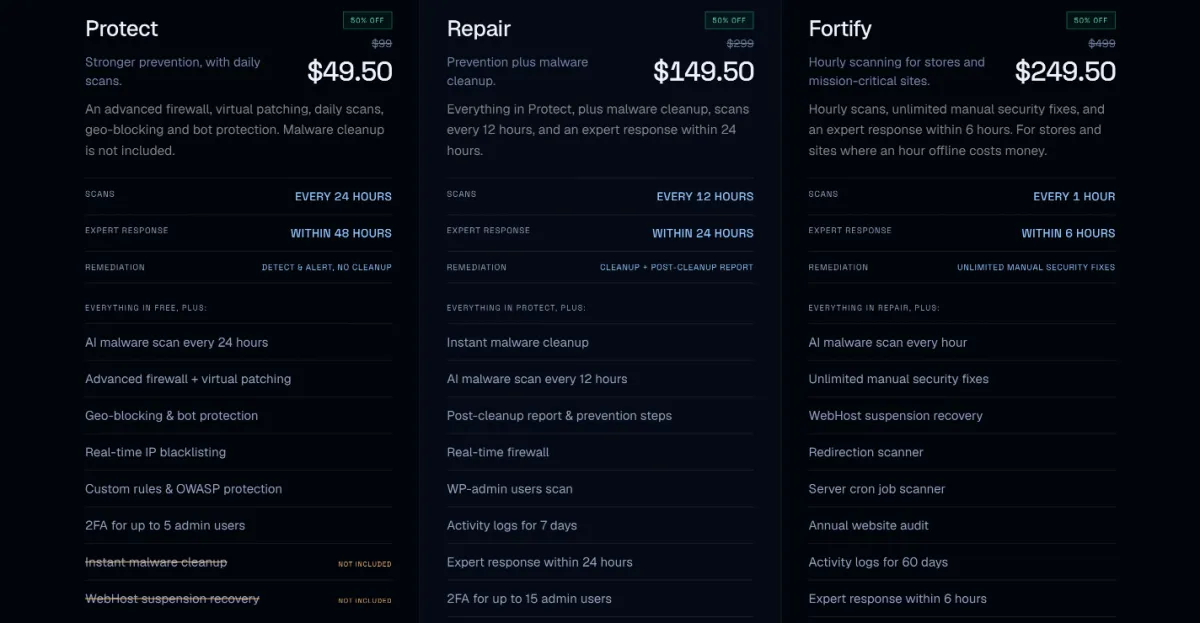
MalCare scans your site on its own servers and, on the plans that include it, removes malware with one click. That’s convenient, and it doesn’t load your hosting. In 2026, MalCare restructured its plans. Cleanup now requires the “Repair” ($299 per year) or “Fortify” ($499 per year) plan. The cheaper “Protect” plan ($99) scans and blocks attacks, but its pricing page says plainly: “Malware cleanup is not included.” Many reviews online still describe the old plans, so check carefully what you’re buying.
Good fit if you manage several sites and want automatic cleanup from one dashboard.
Jetpack Scan: good monitoring, limited cleanup
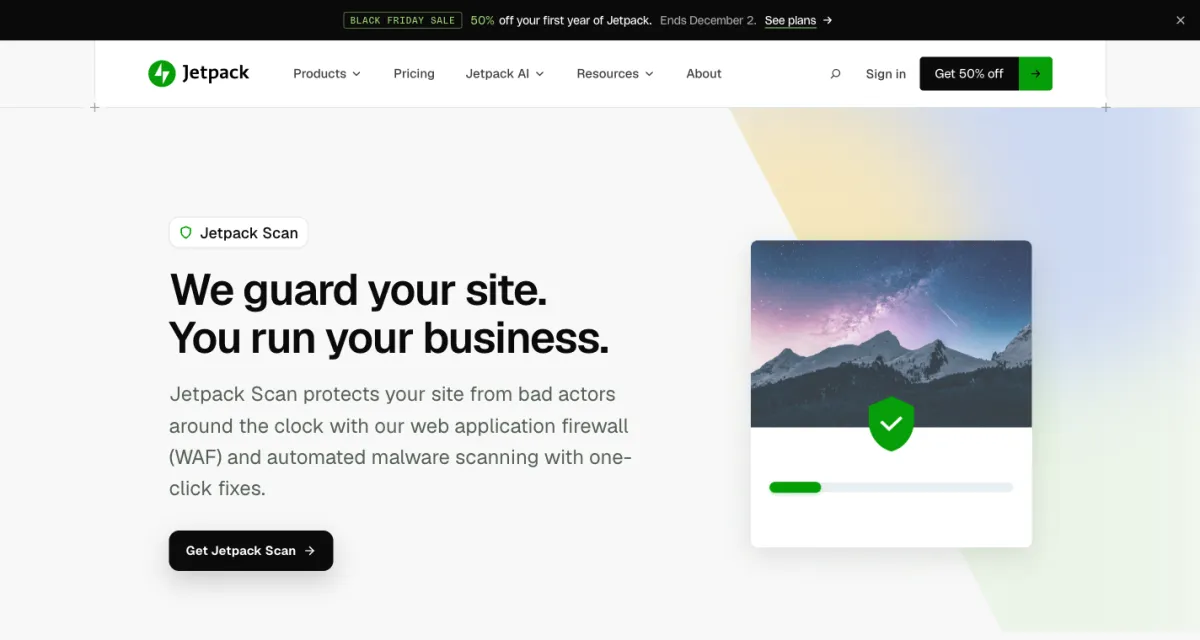
Jetpack Scan checks your site daily and offers one-click fixes for many issues it finds. But according to Jetpack’s own documentation, it doesn’t scan the database, its fixes need server credentials, and it isn’t designed to fully clean a site that was infected before you installed it.
Good fit if you already use Jetpack and want ongoing monitoring. It’s not the right tool for a site that’s infected right now.
Other plugins you’ll see recommended
Most “best malware removal plugin” lists include a few more names. Here’s what each one actually does when your site is infected, based on their wordpress.org pages in November 2026:
| Plugin | Active installs | Finds malware? | Removes it? |
|---|---|---|---|
| Anti-Malware Security (GOTMLS) | 100,000+ | Yes, files and database | Yes, after free registration. Without it, it only lists “potential threats” for you to check by hand |
| Kadence Security (formerly Solid / iThemes Security) | 700,000+ | Only Google blocklist status and file changes | No |
| All-In-One Security (AIOS) | 1+ million | File change detection; malware scan is Premium | No. Cleanup is offered as a paid service |
| Defender (WPMU DEV) | 80,000+ | Yes | Partly: restore or delete flagged files yourself; quarantine is Pro |
| Shield Security | 30,000+ | Core files free; malware scanner is Pro | Partly: repairs changed core files automatically |
| BulletProof Security | — | — | Closed on wordpress.org on Oct 30, 2026. Don’t install it |
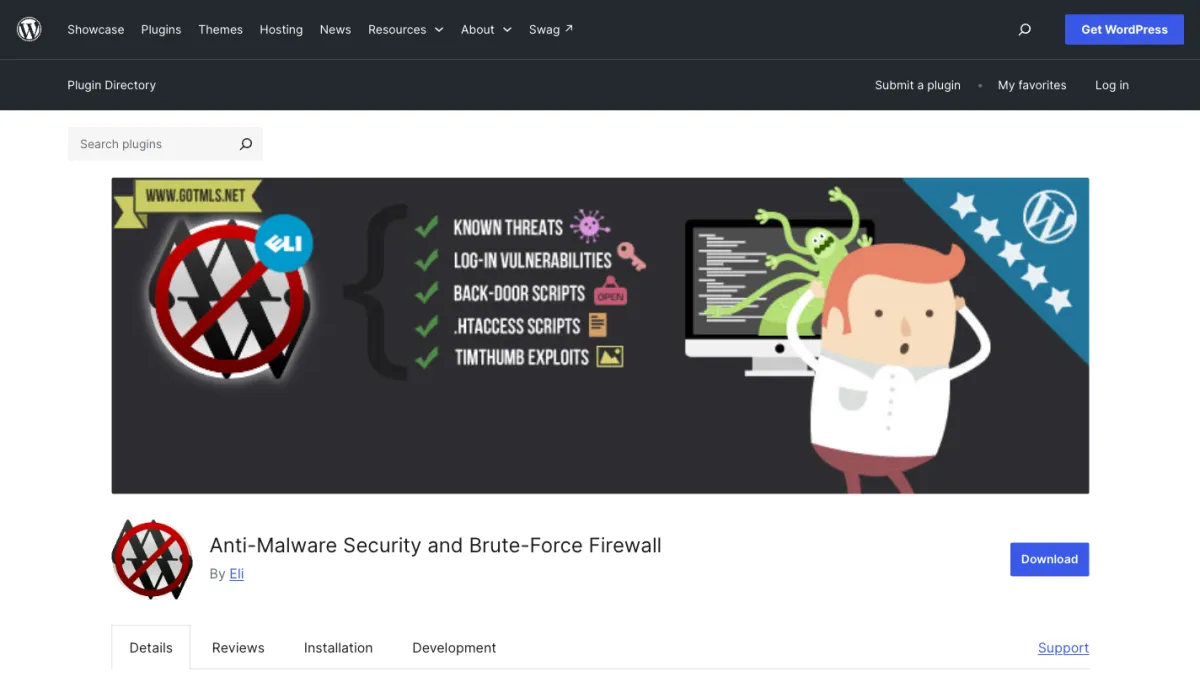
So apart from GOTMLS, these are prevention plugins. They’re useful for hardening a site after it’s clean, but none of them will clean an infection for you.
What to check before you pay
Marketing pages all say “malware removal”. These five questions tell you what you’re actually buying:
- Which plan includes cleanup? With MalCare and Wordfence, the cheaper plans only detect. Check for the word “cleanup” or “removal” in the plan you’re about to buy.
- Does it scan the database? A lot of current malware lives in
wp_optionsor post content. Jetpack Scan doesn’t look there. - Where does the scan run? A scanner that runs inside your site can be switched off or fooled by the malware it’s looking for. One that scans from the vendor’s servers is harder to bypass and doesn’t load your hosting.
- Is reinfection covered? Sucuri’s plans include unlimited cleanups for the year. A one-off cleanup without a guarantee leaves you paying again if it comes back.
- How fast does a person respond? Response times range from 1 hour (Wordfence Response) to 48 hours (MalCare Protect). If your site is down or blocklisted, that matters.
Using a plugin to clean without making it worse
If you go the plugin route, these steps keep a cleanup from turning into a second problem:
- Back up first, infected or not. A full backup of files and database lets you undo a deletion that breaks the site.
- Review before you delete. Don’t press “delete all”. Open each flagged file and check what it is. If you’re unsure, my guide on whether a file is malware helps.
- Replace, don’t patch. Reinstall WordPress core, plugins and themes from fresh copies instead of editing infected files.
- Lock it down afterwards. Change all passwords, the WordPress salts and SFTP or hosting credentials, and remove admin users you don’t recognize. Securing WordPress after a hack covers the full list.
- Check from the outside, then find the way in. Scan again with a different tool, and check Google Search Console. Then work out how the attacker got in, or the infection will be back.
When a plugin isn’t enough
All these tools work well on common, known malware in files. They struggle with:
- Malware in the database: scripts in widgets, theme settings, or post content.
- Custom backdoors that don’t match any known signature.
- Malware that comes back, because a cron job, fake plugin or neighboring site reinstalls it.
- Conditional malware that only shows itself to mobile visitors or people arriving from Google.
- The entry point. No plugin tells you how the attacker got in, and that’s what stops the next infection.
From my cleanup work: a lot of the sites I clean had already been “cleaned” by a plugin, sometimes more than once. The plugin did its job on the files it recognized. But the backdoor it missed reinstalled everything within days, and the outdated plugin the attacker came in through was still there. The second cleanup is always harder, because by then the owner has lost trust in every tool.
If you’ve hit one of these limits, a plugin won’t get you further. What you need then is a person who investigates the whole site: files, database, user accounts, and the way in. That’s what my one-time WordPress malware removal service does, for $95 per site with a 1-month guarantee. You can also compare what other providers charge.
So which should you choose?
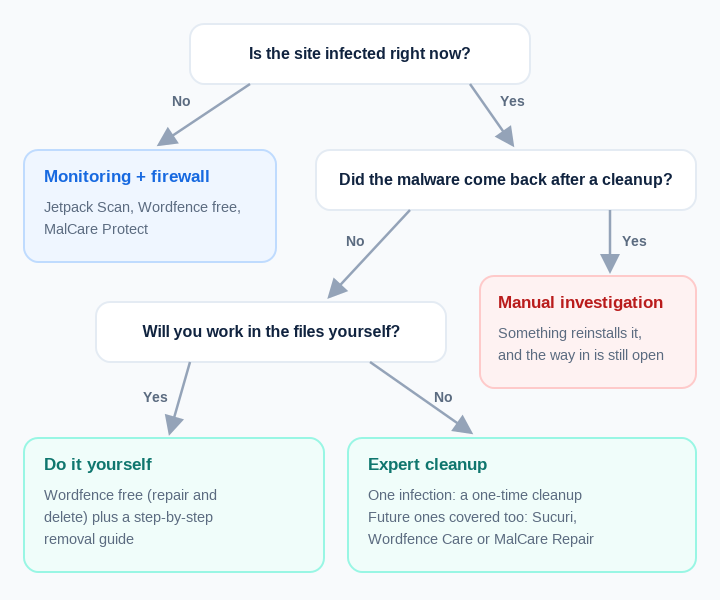
- One-off infection, you’re technical: Wordfence free plus my step-by-step removal guide.
- One-off infection, you’d rather not do it yourself: a one-time professional cleanup is usually cheaper than a year of subscription. My malware removal service is $95 per site, with a 1-month guarantee.
- You want ongoing protection and future cleanups covered: a subscription with expert cleanup, such as Sucuri Platform or Wordfence Care. My Sucuri vs Wordfence comparison helps you choose.
- Many sites: a dashboard-based service with automatic cleanup, such as MalCare’s higher plans.
This comparison is independent, with no affiliate links. Screenshots and information come from each vendor’s public pages as of November 2026 and may change.